Everything posted by Rook
-
Please read the information on the topic. Which game are you referring to?
-
 This is auto updating. Is there something wrong?
-
-
-
It's the other alternative if you have another Apple Device. We'll look into the SMS verification code, but it is low priority given that not many people have said anything about this issue. There does seem to be a way of creating a new Apple ID without 2FA if you use iTunes on your desktop I believe?
-
 This hack is now updated to App Store version 1.105.6!
-
-
 This hack is now updated to App Store version 1.8.4!
-
-
This hack is now updated to App Store version 1.79!
-
-
-
Which Jailbreak are you on?
-
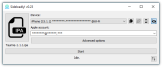 https://iosgods.com/topic/137978-iosgods-app-app-sideloadly-quality-of-life-updates/?do=findComment&comment=4392512
-
-
-
This hack is now updated to App Store version 2.5!
-
-
This hack is now updated to App Store version 0.485!
-
-
-
 This hack is now updated to App Store version 3.0.1!
-
-
-