Everything posted by Rook
-
 This hack is now updated to App Store version 5.0.41!
-
 This hack is now updated to App Store version 4.5.4!
-
This hack is now updated to App Store version 4.5.4!
-
-
-
 This hack is now updated to App Store version 1.78.0!
-
 This hack is now updated to App Store version 1.28.3!
-
 Fixed! Please test and report back.
-
-
 This hack is now updated to App Store version 1.106.3!
-
-
-
-
 This hack is now updated to App Store version 1.8.6!
-
Hello & welcome Anne!
-
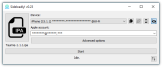 What is your device? With macOS or Windows are you using?
-
-
 This hack is now updated to App Store version 1.21.47!
-
-
Do you have any advanced options enabled?
-
Hello, This sounds like an issue with the IPA itself rather than Sideloadly,
-
Have you tried reinstalling iTunes?
-
This has been fixed somewhere in this topic. Please search.
-
-
 This hack is now updated to App Store version 1.8.401!