Everything posted by QSC101
-
Yes just dont forget block updates game
-
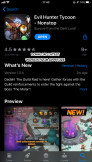
Mod Requirements: - Jailbroken iPhone/iPad/iPod Touch. - iFile / Filza / iFunBox / iTools or any other file managers for iOS. - Cydia Substrate or Substitute. - PreferenceLoader (from Cydia or Sileo). Evil hunter tycoon modmenu by @Tulak Hord - GameGem - Appstore++ -AutoTouch and AutoTouch patch ( repo.thuthuatjb.com) Hack Features: - no Appguard alert - High Gold- Freeze Elemental - alot of gems, hero,skin,pet - speed hack Non-Jailbroken & No Jailbreak required hack(s): https://iosgods.com/forum/79-no-jailbreak-section/ Modded Android APK(s): https://iosgods.com/forum/68-android-section/ For more fun, check out the Club(s): https://iosgods.com/clubs/ iOS Hack Download Link: [hide] sr for my bad English To fix appguard alert step1 open filza file choices application management finds evil hunter tycoon tap (i) tap link above application data open evilhunter.app finds and copy info.plist now paste it to another folder step2 install appstore++ now finding evil hunter tycoon on appstore hold open button and downgrade to 1.1.12 version step3 when it complete install go to evilhunter.app like step1 and pasting info.plist from step 1 into evilhunter.app now open game and turn on hack To take gems u can spam tap to buy chests in bonus with AutoTouch now use this gem to buy skin pet ,.. - remember block update evil hunter tycoon in appstore turn on speed hack in gamegem Back to appstore [/hide] Installation Instructions: STEP 1: Download the .deb Cydia hack file from the link above. STEP 2: Copy the file over to your iDevice using any of the file managers mentioned above or skip this step if you're downloading from your iDevice. STEP 3: Using iFile or Filza, browse to where you saved the downloaded .deb file and tap on it. STEP 4: Once you tap on the file, you will then need to press on 'Installer' or 'Install' from the options on your screen. STEP 5: Let iFile / Filza finish the cheat installation. Make sure it successfully installs, otherwise see the note below. STEP 6: Now open your iDevice settings and scroll down until you see the settings for this cheat and tap on it. If the hack is a Mod Menu, the cheat features can be toggled in-game. STEP 7: Turn on the features you want and play the game. You may need to follow further instructions inside the hack's popup in-game. NOTE: If you have any questions or problems, read our Troubleshooting topic & Frequently Asked Questions topic. If you still haven't found a solution, post your issue down below and we'll do our best to help! If the hack does work for you, post your feedback below and help out other fellow members that are encountering issues. Credits: - Yasuagankteam20gg Cheat Video/Screenshots:
-
 i got crash game when game in loading screen
-
 crash when tap thanks button :(( ios 13.2 uncover jb
-
-
-
-
Mod Requirements: - Jailbroken iPhone/iPad/iPod Touch. - iFile / Filza / iFunBox / iTools or any other file managers for iOS. - Cydia Substrate or Substitute. - PreferenceLoader (from Cydia or Sileo). Hack Features: - blue essence - champ lv - skill lv - item lv .... Non-Jailbroken & No Jailbreak required hack(s): https://iosgods.com/forum/79-no-jailbreak-section/ Modded Android APK(s): https://iosgods.com/forum/68-android-section/ For more fun, check out the Club(s): https://iosgods.com/clubs/ iOS Hack Download Link: [hide] my firsts time:(( sr for my bad english ez mirror match 2 hack free champ skill lv champ lv ,... Open game Now open Filza file choices application manager choice ez mirror match 2 /var/mobile/Containers/Data/Application/2426715D-B127-4324-BDEB-B9C99A5312E4/Library/Preferences/com.Bullinzadu.EzrealMirrorTwo.plist open file scroll down now look for playerdata edit this file any thing u want but don’t change blue essence,rp, rating point change champ index for free champ 0=ez,..... scroll down find a line like that Champs":[{"index":0,"level":0,"exp":0,"selected_skin":0,"farming_mmr":1000,"equip" that champ info index 0=ez don’t change selected skin next is item LV and skills LV u can change it but keep item and skills LV =< champ lv scroll down u will see shop list change price to -9999999999 don’t change bigger than that Now delete game from multitasking and reopen game when u buy there items maybe game show pop up “cheating” it ok just re enter game a enjoy hack If the above does not work, please try the clip [/hide] Installation Instructions: STEP 1: Download the .deb Cydia hack file from the link above. STEP 2: Copy the file over to your iDevice using any of the file managers mentioned above or skip this step if you're downloading from your iDevice. STEP 3: Using iFile or Filza, browse to where you saved the downloaded .deb file and tap on it. STEP 4: Once you tap on the file, you will then need to press on 'Installer' or 'Install' from the options on your screen. STEP 5: Let iFile / Filza finish the cheat installation. Make sure it successfully installs, otherwise see the note below. STEP 6: Now open your iDevice settings and scroll down until you see the settings for this cheat and tap on it. If the hack is a Mod Menu, the cheat features can be toggled in-game. STEP 7: Turn on the features you want and play the game. You may need to follow further instructions inside the hack's popup in-game. NOTE: If you have any questions or problems, read our Troubleshooting topic & Frequently Asked Questions topic. If you still haven't found a solution, post your issue down below and we'll do our best to help! If the hack does work for you, post your feedback below and help out other fellow members that are encountering issues. Credits: - Yasuagankteam20gg Cheat Video/Screenshots:
-