
lxdx
-
Posts
778 -
Joined
-
Last visited
Everything posted by lxdx
-
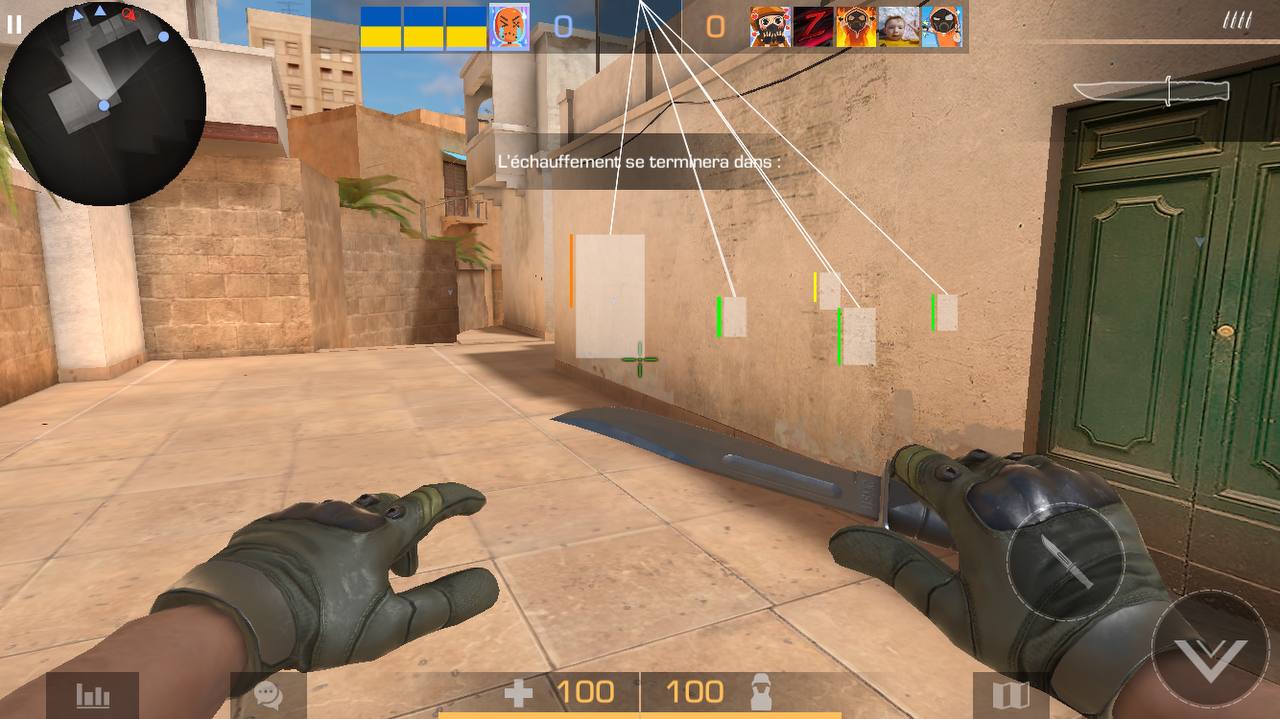
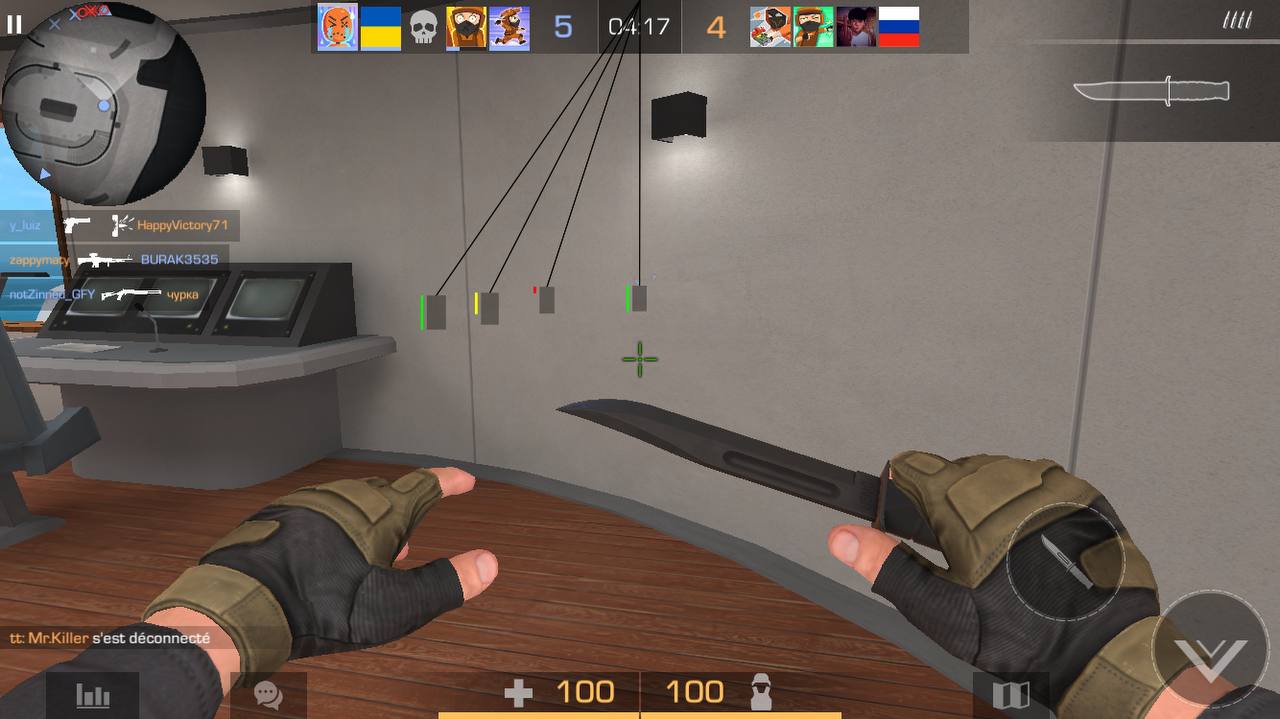
do u guys want this ESP Standoff 2 source (0.22.0) ? (images in profile)


-
Oh okay, yeah afaik Unity5D do not have such features. Tho if you could manage to do something like this, it would be insane
-
Mhh i think i do not understand what you mean... are you looking for a field inside the ActorConfig class like : private int HP; 0x24 ? If its the case, i don't think U5D can help you
-
I think Unity5D show’s only some Il2cpp related stuff, it won’t show the game itself function/fields since it will be different for any game. It just shows the class and all the native Il2cpp stuff
-

Need help with developing freeze currency hacks
lxdx replied to ryusdarling's topic in Help & Support
As Puddin said it, look for theses instructions once u think u got the right function. check also ADD instruction, sometimes its tricky and they ADD negative number to your balance instead of substraction. Example : 100 - 8 //SUB 100 + (-8) // ADD -
You mean using lldb to read the memory ? No it doesnt change anything, it was for the demo
-
wdym exactly ? the field isn’t clickable ?
-
Nice done !
-
yeah, but if u installed it on trollstore u might be safe
-
well then all is good, you don’t have crash when going to chat and back to camera ?
-
11.80 worked good for me without ban but theses annoying crash made me choosed the other version. if you log out then uninstall and install the 11.71 i think it should be good
-
since 6 months, i posted the topic 7 days after tested and still no ban yet. I’ve reset my phone and re followed the tut for the installation and still not ban, if you follow the requirements and the steps you are good. i use the 11.71 version
-
Mod Menu Hack POLYWAR v2.5.0 [Silent Aim - ESP]
lxdx replied to X204's topic in ViP Jailbreak Cheats
-
it will be my next tutorial
-
let me a few weeks or days
-
i didn’t mentioned it on my tutorial but i used also ‘p (int *) 0x9’ to read to a registrer or an instance var, maybe you need to add another pointer like this ´p *(float*) 0x8c’ i will clarify it this afternoon once i can check and will confirm you
-
not for me, still on my main account with it
-
mhhh i seem not understanding what you are trying to tell me 😅, in this case it was an int, as shown on iGG, float would have been FADD. To read double values, i guess you can use the 'p' command with a few parameter or the 'x' one https://www.nesono.com/sites/default/files/lldb cheat sheet.pdf
-
depends on which Xcode version you use (and so lldb) but nah, the tutorial is based on a jailed iOS 15.1 if you used a lldb version from Xcode with compatibly iOS 12 then yeah it might not support anything higher
-
Hello againnn On this series, we gonna see modding for games that aren't made with Unity3D. It's a bit more complicated since we do not have well written function names and class struct or whatever Il2cpp games offer us. If you are going to hack your first game, it's not a good idear to start here, it would be better to start on Unity games. Please refer you to my other tutorials. Tho don't worry, i will add some kinda small comments to explain you things. If you are an advanced dev, you can skip all the notes Requirements: - iOS device - Mac + Xcode - ARM notions. Thanks to @Happy Secret, for showing us that it was possible to debug a game on a jailed device if we sign the app with our Apple ID (Sideloadly). At least i learned it from him Tho if you don't have a Mac, you can still use a JB device with lldb / lldb-10 installed like on the linked tutorial below. This tutorial is based on another one that has already been published and is very well written, please check it first to understand what we are going to do, since it will be similar. [Hidden Content] Hope you learned something, if you have questions or need some clarification, write a comment i will answer once i have the time. Credits : - Me - @Happy Secret - @Ted2 for the old tutorial
- 181 replies
-
- 555
-

-

-

-

-

-

-
Help/Support IOSGods App hacked apps not working
lxdx replied to TheDarkest's topic in Help & Support
Settings -> general -> VPN and profiles -> find the certificate and trust -
https://gofile.io/d/Xv9loE
-
You would need to create an HTML script element, and paste all frida code stuff to make it work. I will cover this in a second part of this tutorial series.