
lxdx
-
Posts
803 -
Joined
-
Last visited
Everything posted by lxdx
-

Tutorial How to use iGDebugger - (iGameGod on-device debugging)
lxdx replied to lxdx's topic in H5GG & iGameGod
Hey, You need to load the binary file of the game, usually it deals with the App name, here it’s Godus, it’s located in the .app of the app folder -
Source Code for Standoff 2 v0.22.2 Mod Menu [ESP, Lines, Boxes, Health]
lxdx replied to lxdx's topic in Coding Center
i think Unity5D que s berry good to see which class is usefull for ESP or what GameObject is in the scene stuff like this, but sadly there will always be some small bugs but it’s cool that u could achieve the beta ESP !! yes, u gonna need to change offsets and also maybe some function logic, since not all the same game check the same way if the player is dead / his team / health -
Tutorial How to use iGDebugger - (iGameGod on-device debugging)
lxdx replied to lxdx's topic in H5GG & iGameGod
I think that this would still be a great idear, even if its only idk the 10 last Instructions, it will give us an idear -
Tutorial How to use iGDebugger - (iGameGod on-device debugging)
lxdx replied to lxdx's topic in H5GG & iGameGod
usually it shouldn’t freez, @Rook ?? Maybe in the future -
Source Code for Standoff 2 v0.22.2 Mod Menu [ESP, Lines, Boxes, Health]
lxdx replied to lxdx's topic in Coding Center
thank you my boi Yeah if you can look trough each instance and get the transform and position of it, you are good ! but when i tried, it was crashing when getting transform of the instance -
Mod Menu Hack [FREE] Standoff 2 v0.22.2 Mod Menu [ESP, Lines, Boxes, Health]
lxdx replied to lxdx's topic in Free Jailbreak Cheats
not possible atm, at least from me -
Source Code for Standoff 2 v0.22.2 Mod Menu [ESP, Lines, Boxes, Health]
lxdx replied to lxdx's topic in Coding Center
Yeah, you would need to include a few headers, tho you can put all the code in the main file, but i prefer to make separate files, easier to update offsets Yeah it uses function pointers and hooking that for the moment only work on jailbroken devices, tho the drawing should work on jailed, the only way that this makes it only work on jailbroken, is the hook on the player class, and *probably* the function pointers. I used his drawing source yeah (gonna credit him, i forgot it), this drawing source is used a lot since it’s a public source. It’s a bit edited to have color lines and like a background color. -
it’s probably your jailbreak then not the template, KittyMemory work only on JB atm
-
you have this one that is a used a lot :
-
Source Code for Standoff 2 v0.22.2 Mod Menu [ESP, Lines, Boxes, Health]
lxdx replied to lxdx's topic in Coding Center
yes there is. most thing is the same for each ESP, only difference is offset and maybe the way of dealing with entities- 97 replies
-
- 39
-

-

-

-

-

-

-
Source Code for Standoff 2 v0.22.2 Mod Menu [ESP, Lines, Boxes, Health]
lxdx replied to lxdx's topic in Coding Center
@Happy Secret @LeePham @ThanhDark1909- 97 replies
-
- 45
-
-
-
-
-
-
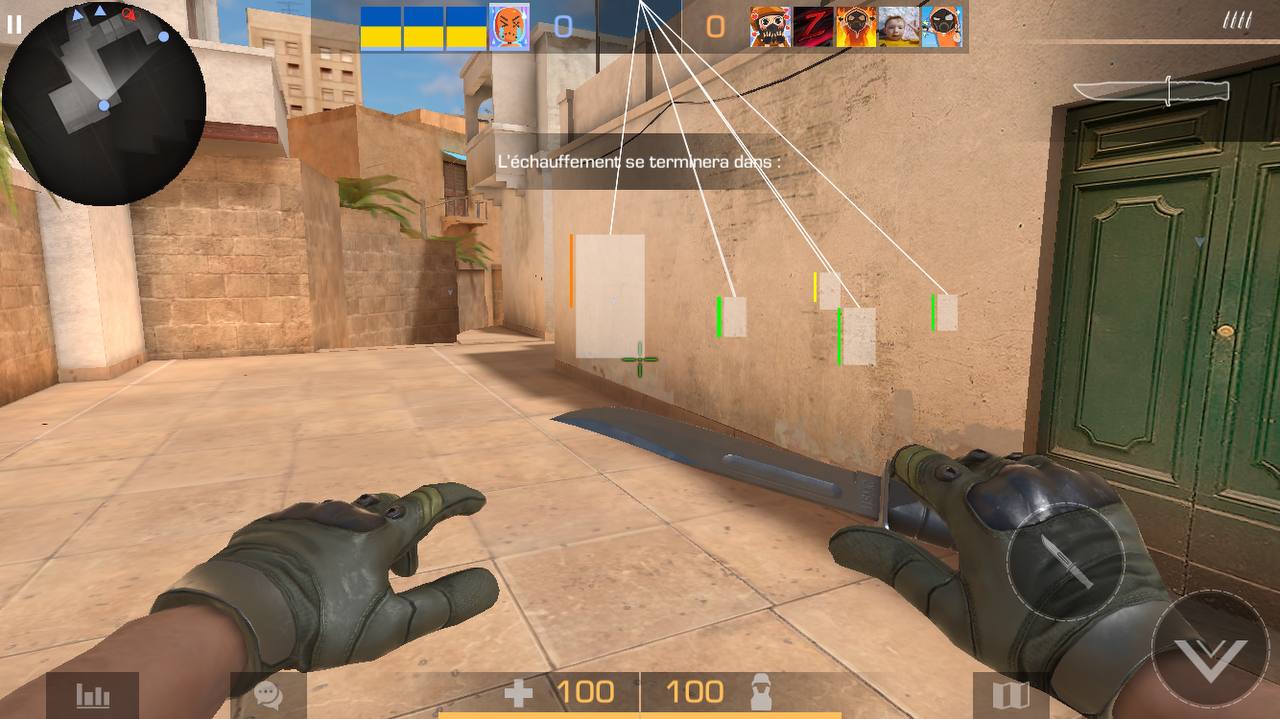
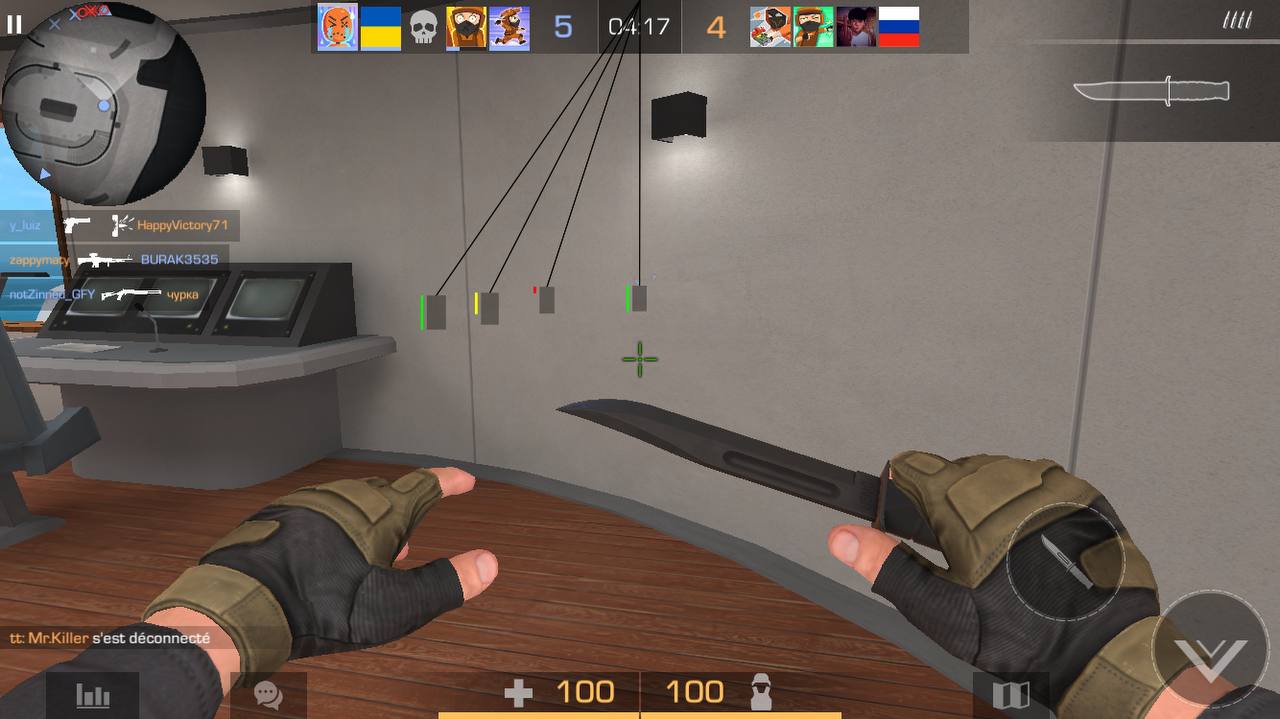
Here is the source code for this mod menu : This source contain an ESP hack with boxes lines and health. All the offsets are in the Offsets.h header. The EntityManager class and all the functions to get screen position, transform and stuffs like this are in the Pointers.h file. Some cool images with what you can do with it : Download Link : [Hidden Content] Credits : - Mobean (drawing source) //this is a forked repo, can’t find the original - Ted2 for the original mod menu template
- 97 replies
-
- 453
-
-
-
-
-
-
-
Modded/Hacked App: Standoff 2 By AXLEBOLT LTD Bundle ID: com.axlebolt.standoff2 iTunes Store Link: https://apps.apple.com/us/app/standoff-2/id1359706682?uo=4 Mod Requirements: - Jailbroken iPhone/iPad/iPod Touch. - iGameGod / Filza / iMazing or any other file managers for iOS. - Cydia Substrate, Substitute or libhooker depending on your jailbreak. - PreferenceLoader (from Cydia, Sileo or Zebra). STATUS SAFE INFORMATION Use A-Bypass or any good JB bypass, or you will get instant ban. Hack Features: - ESP - Lines - Boxes - Health bar - Health text Source Code Here : Non-Jailbroken & No Jailbreak required hack(s): https://iosgods.com/forum/79-no-jailbreak-section/ Modded Android APK(s): https://iosgods.com/forum/68-android-section/ For more fun, check out the Club(s): https://iosgods.com/clubs/ iOS Hack Download Link: [Hidden Content] Installation Instructions: STEP 1: Download the .deb Cydia hack file from the link above. Use Safari/Google Chrome or other iOS browsers to download. STEP 2: Once the file has downloaded, tap on it and then you will be prompted on whether you want to open the deb with iGameGod or copy it to Filza. STEP 3: If necessary, tap on the downloaded file, and then, you will need to press 'Install' from the options on your screen. STEP 4: Let iGameGod/Filza finish the cheat installation. Make sure it successfully installs, otherwise see the note below. STEP 5: If the hack is a Mod Menu — which is usually the case nowadays — the cheat features can be toggled in-game. Some cheats have options that can be enabled from your iDevice settings. STEP 6: Turn on the features you want and play the game. You may need to follow further instructions inside the hack's popup in-game. NOTE: If you have any questions or problems, read our Troubleshooting topic & Frequently Asked Questions & Answers topic. If you still haven't found a solution, post your issue down below and we'll do our best to help! If the hack does work for you, please post your feedback below and help out other fellow members that are encountering issues. Credits: - 𓄼 . f v c k . 𓄹 Cheat Video/Screenshots:
- 224 replies
-
- 300
-
-
-
-
-
-
-
Help/Support got problem from make package theos
lxdx replied to Firdaus Ariff's topic in Help & Support
https://developer.apple.com/documentation/uikit/uialertcontroller -
Help/Support got problem from make package theos
lxdx replied to Firdaus Ariff's topic in Help & Support
use UIAlertController as it suggest it -
Tool iGDebug! On-Device (LLDB) Debugging with iGameGod!
lxdx replied to Rook's topic in H5GG & iGameGod
Really cool tutorial -
Tutorial How to use iGDebugger - (iGameGod on-device debugging)
lxdx posted a topic in H5GG & iGameGod
Hello! Since the new iGameGod update update was released, a new debugging feature has appeared and we will see it in this tutorial! This feature will work on Non-Jailbroken & Jailbroken devices! iGDebugger allows you to debug iOS apps directly from iGameGod without a Mac or any terminal; no need to use LLDB and freeze your device with each test You can use it to find and patch an offset! We're going to cover the whole process! First of all, enable (or inject iGameGod Jailed) iGameGod in your app! We'll be using Godus as an example here. Now, basics, just search your coins value on iGG until you get a few results! Here comes the nice feature! Long press the offset (usually the first one is the right one) and select 'Set Watchpoint'. And, buy something or do anything that can change your value. I've done 2/3 interactions with my balance. Now, we want to check our watchpoint! To do this, click on the Search icon located bottom right, and select Watchpoints. On the new window will be all your watchpoints, on my screenshot, there is only one because I trust this watchpoint to be useful But you can add more!! You can toggle On/Off your watchpoint by the toggle option. 'Writes: 3' means that our "memory offset" got edited 3 times, Let's take a closer look. This screenshot is interesting, it shows us many things : Our "function name" : _ZN8Currency6Belief....BeliefUseType note This is called a Symbol, and its generated by the compiler. Sometimes it wont even deal with the function name. But in our example it deal with, so all good Our IDA offset : 0x1777B0. This one will be the same for you (if you use the same version as me)! And our coins logs! *I cut something that got me +49 gold* You can click any of theses logs to see the Register Values and the Stack Trace! I will click the first result since it's my actual balance. NOTE As you can see, x0 holds our increased value and x9 our current balance (1329 + 49 = 1378) So, well let's directly take a look at this in IDA! Once you have loaded your binary file into IDA, and select Mach-O dylib decomplication mode, let's go to the function/offset we found in iGameGod! This is a Non-Unity (UnityFramework) game so we need to add a value to it to find it on IDA (100) : 0x1001777B0 Click OK and you should see your instruction. NOTE As you can see, our function name is "BeliefUseType" like on iGG! So this function gets triggered once something is getting added to our balance. We can see that there is an ADD instruction at 0x100177AC that is dealing with x9 and x0! and we have seen previously that x0 = amount and x9 = balance. Here it's simple, it does something like this: x9 = x9 + x0 x9 = 1329 + 49 Mhh how we could hack this? Well there a few possibilities, and I will chose a legit one. I will add 100 to my balance each time I receive something. So i do it like this : ADD x9, x9, #100. I will use Live Offset Patcher to test the hack. NOTE Do not RET the instruction after the ADD. Here, we are dealing with an instruction INSIDE our function, if you RET the next instruction, it gonna crash since your device won't know what to do. And indeed it worked! This is how you can easily hack your games without needing a PC to debug your game. And yes... I lied a bit by saying that you don't need a computer... But atm there is no way to see ARM instructions on iOS, yet! If that changes, I will edit the topic! I've cut one more tree (that would normally give me +1 Gold. Our result went from 1378 to 1478! (thanks to our patch) The game was Godus, version : 1.36. You can download this version from the Decrypted App Store. Well that's all, hope you learned one more thing in modding Want to learn more? Check out the next tutorial: Using iGameGod Breakpoints & iGDisassembler (On-Device)- 79 replies
-
- 44
-
-
-
-
-
-
do u guys want this ESP Standoff 2 source (0.22.0) ? (images in profile)


-
Oh okay, yeah afaik Unity5D do not have such features. Tho if you could manage to do something like this, it would be insane
-
Mhh i think i do not understand what you mean... are you looking for a field inside the ActorConfig class like : private int HP; 0x24 ? If its the case, i don't think U5D can help you
-
I think Unity5D show’s only some Il2cpp related stuff, it won’t show the game itself function/fields since it will be different for any game. It just shows the class and all the native Il2cpp stuff
-
Need help with developing freeze currency hacks
lxdx replied to ryusdarling's topic in Help & Support
As Puddin said it, look for theses instructions once u think u got the right function. check also ADD instruction, sometimes its tricky and they ADD negative number to your balance instead of substraction. Example : 100 - 8 //SUB 100 + (-8) // ADD -
You mean using lldb to read the memory ? No it doesnt change anything, it was for the demo