
brittanyr420
Newbie
-
Joined
-
Last visited
Everything posted by brittanyr420
-
-
 In the IOSGODS APP++ Mech Arena download button is now in gray and the app keeps crashing when I open the app. The game store version still shows version 3.270.00 in the paid app store. Can somebody tell me why this is happening? Is it an Apple Revoke? And will this be fixed soon?
-
 Hi there, I recently purchased the IOSGODSAPP+ and I checked my email on how to install the app. But after I installed it I clicked on the app and tried to verify my purchase but it kept giving me this error message Verify and I want to use the app but I can't find a solution to this problem. Does anyone know what I can do? Thanks!
-
 Hi there, I’ve noticed that Beatstar hasn't had an update in a few years and I wanted to see if anyone could please update the game version to 34.0 since the app store hasn't updated the game in over 6 months. P.S have a good day!
-
Just about two hours ago The Seven Deadly Sins updated the game version on the app store to version 2.63.0 and I can't find a new IPA file with that version yet so I can update the modded version from the IOSGODS app store. If anyone has time in the next few weeks could it be possible to have it updated soon? I’d like to keep playing it. Also, The Attack and defense modifiers don't work because the patch failed but the only thing that works is the auto win. P.S.: if possible could someone add an antiban feature? Or any feature that won't get detected easily? Like a simple feature that won't be overpowered or abused much? Thank you!
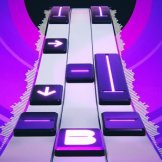 that would be great because the last version they released keeps telling me to update to 34.0

